

Trade Forex, Stocks, Futures & CFDs on MT5 with Tradeview
MetaTrader 5 brings multi-asset trading, advanced market analysis and algorithmic tools into one powerful platform. With Tradeview, you can take it further.
Choose from our MT5 account types, including EDGE, and access raw market pricing, deep liquidity and professional-grade execution infrastructure directly from MT5.

Take MT5 further with Tradeview
Advanced tools matter. Trade MT5 with Tradeview and combine MetaTrader’s multi-asset capabilities with the market access, trading infrastructure and support of a global broker.
Multi-asset market access
Access Forex, Stocks, Futures and CFDs through the MT5 environment.
Built for advanced trading
Use technical analysis, Expert Advisors, custom applications and algorithmic strategies from one platform.
Professional-grade trading infrastructure
Connect MT5 to Tradeview’s trading environment and execution technology.
More markets, advanced tools and EDGE execution
MetaTrader 5 combines advanced market analysis, algorithmic trading, copy trading and multi-asset capabilities with Tradeview's trading infrastructure and global market access.
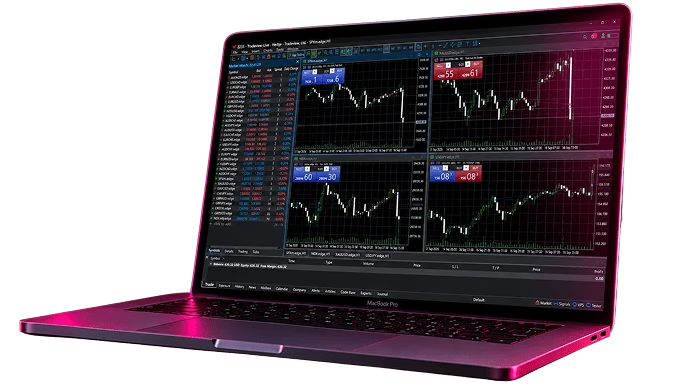
Trade MT5 with EDGE
Built for traders looking for lower trading costs and a more advanced execution environment.
Raw market spreads, often 0.0 pips
No spread markup
Commissions starting at $4 round-turn*
Deep liquidity
Professional-grade execution infrastructure
Built for manual and algorithmic trading
No additional software. Choose EDGE when opening your MT5 account and trade directly from the platform.
*Commissions may vary according to the traded asset.
Download MetaTrader 5


Start trading on MT5 in 4 steps
1.
Choose your platform
Download MT5 for your device or launch the Web Terminal directly from this page.
2.
Open your Tradeview account
Create a Live account or start with a Demo to explore the platform first.
3.
Connect to Tradeview
Launch MT5 and log in using your Tradeview account credentials and corresponding server.
4.
Access the markets
Start analyzing and trading the markets available through your MT5 account.
MT5 or MT4: which platform fits the way you trade?
Both platforms give you access to Tradeview, but they offer different trading environments.

MetaTrader 4
Choose MT4 if you prefer the established MT4 ecosystem and its extensive library of MQL4 Expert Advisors, indicators and scripts.

MetaTrader 5
Choose MT5 if you want broader multi-asset capabilities, advanced analytical tools and the newer MetaTrader trading environment.
One platform. Multiple markets
MetaTrader 5 was designed as a multi-asset platform, giving traders the flexibility to access different financial markets from one trading environment.
Forex & CFDs
Trade global currency markets and CFDs while using MT5’s analytical and algorithmic trading tools.
Stocks
Access available stock markets and analyze opportunities directly through MT5.
Futures
Trade available Futures markets using MT5’s multi-asset trading environment.
Metals
Trade GOLD and SILVER, two of the world's most actively followed precious metals markets.
Indices
Take positions on the performance of major global stock indices without trading the individual underlying shares.
Commodities
Trade global commodity markets, including instruments linked to energy such as oil.
What makes Tradeview a top MT5 broker
Tradeview offers MT5’s multi-asset technology with the infrastructure, market access, and the support traders need to trade across global markets.
Global market access
Access multiple financial markets through one Tradeview trading environment.

Built for different trading styles
Trade manually, use Expert Advisors, follow signals or develop algorithmic strategies.

Advanced trading technology
Combine Tradeview’s infrastructure with MT5’s analysis, automation and multi-asset capabilities.

Global support
Get assistance from Tradeview’s international customer service team.
Your MT5 questions, answered
MetaTrader 5 is a multi-asset trading platform for Forex, Stocks, Futures and CFDs. It provides tools for technical analysis, algorithmic trading, Expert Advisors, strategy testing and copy trading.
Yes. MT5 Web Terminal allows you to access your trading environment from a compatible browser without installing the desktop application.
Yes. MT5 supports Expert Advisors and algorithmic trading applications.
Yes. MT5 includes a multi-threaded Strategy Tester designed to test and optimize trading robots.
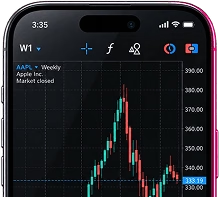
Yes. MT5 is available for supported iOS and Android devices, allowing you to monitor markets and manage trades away from your desktop.
MetaTrader 5 is a multi-asset platform supporting Forex, Stocks, Futures and CFDs. The specific instruments available depend on your Tradeview account.



More markets. More possibilities.
One MT5 accountMore markets.
More possibilities.
One MT5 account
Enjoy MetaTrader 5’s multi-asset capabilities and Tradeview’s market access and trading infrastructure. Choose how you want to trade and get started today.


INSTANT LIQUIDITY CONNECTOR


INSTANT LIQUIDITY CONNECTOR
INSTANT LIQUIDITY CONNECTOR